iPod to iTunes Transfer Options
If something happens to your computer or your hardrive and your iTunes library is wiped out, did you know that Apple doesn’t allow you to transfer the music and other files on your iPod to a new iTunes install?
This means all those valuable songs and videos that you’ve bought and paid for in iTunes and uploaded to your iPod cannot be downloaded from your iPod back to iTunes. Apple does this to prevent unauthorized sharing of “protected” content.
Unfortunately lots of people with legitimate reasons to transfer files from iPod to iTunes can’t do it with the factory iTunes settings. This is where you have to turn to third party software developers.
Here are a few of the programs we recommend you take a look at to solve this problem:
1. Cucusoft iPod/iPhone/iTouch to Computer Transfer – If you need to transfer your songs, videos or other files from your iPod (and model) or iPhone back to your computer or to a new computer, then you will want this software. It is so easy to use and comes with a free trial version. Click Here for Our Full Review!
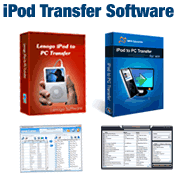
 2. Lenogo iPod to PC Transfer – This fantastic software can transfer all of your songs, videos and other files to your desktop with ease. It is really fast at getting the job done and can work with just about any version of the iPod available (including iPod Touch, iPod Nano, iPod Classic, iPod Video, iPod Shuffle, etc.). This program comes with a Free trial version so you can test it out before you have to buy it. Click Here for Our Full review!
3. Lenogo iPod Transfer for Mac – Mac users will love this great program that helps transfer all of your favorite songs, videos and more to your Mac computer. It is incredibly simple-to-use and is priced just right. Click Here for Our Full Review!
 4. iPod2iTunes – This program makes transferring from any iPod to iTunes on a different computer extremely easy. It easily identifies duplicate songs and syncs files perfectly. It can also make iTunes manage multiple iPods in one iTunes install. You can’t go wrong here! Click Here for Our full review of iPod2iTunes.